The rise of technology in the workplace has also given rise to tech-focused positions that didn’t exist five to ten years ago. Common, in-demand positions today like app developers, web designers, data scientists, social media managers, and others were rare or nonexistent. Now, one recent report from Deloitte claims that disruptive technologies have actually created more jobs than they have taken.
It has also altered the boardroom. Executive roles, like the Chief Information Officer (CIO), may have existed a decade ago, but they have evolved so much that today’s CIOs are barely comparable to earlier versions.
New C-suite positions are emerging, as the importance of managing digital, data, and other tech-related business initiatives rises. With Chief Digital Officers, Data Officers, Information Security Officers, and other C-suite roles that relate to IT popping up, some are asking will these emerging positions phase out or are they here to stay?

Chief Digital Officer
From employees to consumers, individuals are demanding a digital world–a demand that is changing the way we do business. In a recent joint MIT and Deloitte study, nearly 80 percent of respondents said that they want to work for an organization that has either enabled digital or is a digital leader. As tech usage and demand grows, more organizations are digitizing their business strategies and processes.
This increased focus on digitization has prompted some companies to hire Chief Digital Officers (CDO) to lead and manage these initiatives. CDOs are responsible for helping to shift traditional processes to digital. They are often in charge of making this shift seamless, by creating a seamless experience for customers and constituents across traditional and digital platforms. If an organization plans to implement new cloud-based collaboration tools, wireless presentation software, wearable technology, mobile apps, or other digital enabled processes, CDOs are most likely managing it. Last year, Gartner reported that the number of CDOs was on the rise, predicting that by 2015, over 25 percent of companies would have one on their executive team.

Chief Data Officer
The acronyms for Chief Digital Officer and Chief Data Officer may be the same, but the responsibilities can be quite different. Where digital officers often focus on strategy and act as change agents, data officers focus on big data and managing it.
Company data is now viewed as an asset. Chief data officers are responsible for determining what types of information are most valuable for businesses to capture, and how that data will be mined and stored.
Unlike CIOs, data officers are usually not responsible for the infrastructure and systems in which that data is stored. According to Gartner, there are over 100 CDOs in enterprises, double the amount in 2012.
Chief Information Security Officer
Chief Security Officers have existed for a long time, however, the role has transformed. Instead of simply focusing on physical security, many are also concerned about cyber security. Some companies are even splitting the position in two, keeping CSOs devoted to physical safety while another role focuses on protecting data and information systems.
With hacker tactics getting more sophisticated and the number and cost of data breaches increasing every year, organizations are taking cyber security seriously. Chief Information Security Officers (CISOs) are responsible for keeping company information and systems safe. CISOs are bridging the gap between the security department and IT and will likely have a lasting spot on the executive team.
All of these positions have become more prominent because of the digital revolution. Like most jobs, their responsibilities can vary depending on the organization. As more CISOs and CDOs take a seat in the boardroom, companies will take notice. It is likely that we will see more of these roles emerging and becoming part of the leadership team. Some may outlive others, but at the moment, they will continue to grow in importance and demand.
Want to set up a wireless Conference Room?Try Now
Don't miss a Story.
Want to set up a wireless Conference Room?Try Now
We’ve all sat through them–presentations that feel like they go on for hours and at the end, you struggle to remember what they were about. Grabbing audience attention and keeping it the entire time is a common problem that many presenters face. In fact, a recent study found that humans only have an eight second attention span. To put that number into perspective, the attention span of a goldfish is nine–one second longer than a human.
Many factors–from lack of wireless presentation software and struggling with equipment set up to outside noise and lack of preparedness–can affect whether or not a presentation is a success. One of the primary reasons why some fail is simply because they didn’t engage with multiple senses, particularly visual. Visual content often increases understanding and engages people, because 90% of information is processed through visual means. On average, people process images 60,000 times faster than text.
When presenters use poor visuals or none at all, it can negatively affect the overall presentation. Deciding what types to use can be difficult, especially when talking about technical and complex concepts. Here are some creative ideas for your next presentation.
Infographics
Infographics take simple facts and statistics and make them more interesting by pairing them with appealing visuals. Although they are most commonly found on websites, they can be a valuable addition to presentations.
For example, when discussing the importance of tech-based employee engagement programs, pairing statistics about the success of these programs with graphics can keep the audience engaged. Showing a few parts of the infographic at a time, then showing the entire infographic can help reinforce the big picture–engaging employees to improve business performance. There are dozens of programs like Piktochart and Easel.ly that allow users to create infographics at no-cost.
Interactive Graphs
The technical term for pairing data with visuals is called data visualization, and it is a crucial concept for IT and other business leaders to learn. Graphs are an age-old data visualization tool that at first might seem like a stale choice for presentations. However, advancements in data and graphing tools continue to make them relevant and valuable. How presenters utilize them is more important.
Now, graphs can visualize information in real-time and can be used to interact with audiences. When proposing new strategy or other business changes, it is important to visualize the difference that those changes could make. Interactive graphs could be manipulated to display past, present, and predicted future data sets. There are a number of online collaboration tools like Google Charts and infogr.am that individuals can use to create interactive graphics cost-effectively.
Animated Slideshows and Videos
They say a picture is worth a thousand words, but a video can be worth a million. At least, that is what many studies and statistics suggest. In fact, one study from Forrester research claims that a video is worth about 1.8 million words. Also, people are fascinated by video, consuming hundreds of millions hours of it on Youtube everyday.
As a visual aid, certain short videos can be powerful. Videos of user testimonials or demos of products help reinforce what the presenter is saying and add a human touch to simple data points. Of course, when used as part of a presentation, video should only be a supplement. The speaker should be the primary source of information and discourse. If you could present the same information in a video in your presentation, you probably shouldn’t rely on it.
Speaking to an audience can be stressful for even the most experienced presenters, and today, it can be more difficult to captivate an audience. However, incorporating creative, interactive visuals into your presentations can help improve understanding and keep your audience engaged from beginning to end.
Don't miss a Story.
Want to set up a wireless Conference Room?Try Now
What is Your Presentation Style?
Posted onExperienced presenters know that how we give a presentation can change slightly, depending on the objectives and the audience. For example, the commencement speech given at a college graduation will be very different than a sales pitch given to a boardroom full of potential investors.
Although certain elements may alter each time we present, we each have our own unique style. Knowing which style you tend to lean towards can help individuals become more self-aware and improve future presentations.
The Innovator

Innovators are visionaries that are full of big ideas. When appropriate, they will incorporate creative visuals and the latest technology like wireless presentation software or gadgets like smartwatches in their presentations. At times, they can feel uncomfortable about public speaking, but their passion for what they are discussing often outweighs any initial discomfort.
They often bring an energy and enthusiasm that can spread to audience members. However, their big ideas often mean change. Some individuals may be more hesitant to jump on board with those changes, especially if they fail to include data and real examples that support their argument.
The Storyteller

When they are in front of a crowd, storytellers feel like they are not just speaking to but performing for them. It is generally easier for them to captivate an audience just with their words, because they are natural entertainers. They often appeal to an individual’s pathos, or emotions.
However, some may struggle to stay “on track” and organized. They may get too immersed in a story that they run overtime or fail to support points with hard data. Storytellers should practice timing beforehand and incorporate data to support their points for audience members that are more logical thinkers.
The Thinker

Thinkers may not be viewed as the most naturally talented speakers, however, some tactics used by thinkers can prove very effective. Thinkers are rationalists, they excel at understanding cause and effect scenarios and other data-based information.
Some may struggle with explaining those concepts to audiences. However, with practice, thinkers can become great teachers and speakers. Thinkers should analyze their presentations beforehand to ensure that they are relatable to different individuals. They can use online collaboration tools or conduct a test run beforehand to receive feedback.
The Organizer

Organizers may be more comfortable behind-the-scenes rather than in the limelight. However, when necessary, they rise to the challenge of speaking to crowds. Their presentations are well-prepared and carefully constructed from beginning to end. They excel at creating content with an objective in mind and structure presentations so that they are easy to understand.
However, they may rely too heavily on prepared materials and find it hard to react to unexpected situations. Sometimes, presenters may need to improvise and change tactics if technology fails, the audience doesn’t react, or another problem arises. Organizers should anticipate possible issues and be willing to adjust their tactics when appropriate.
The Diplomat

Diplomats are usually great improvisers because they are aware of their surroundings and audience feelings. They genuinely care about audience reactions and feelings and are likely to win over trust. Their presentations are often more of a dialogue, with them interacting with the audience at different moments throughout.
Diplomats’ desire to please people could interfere with achieving objectives, however. Speakers should start a presentation with their objectives in mind. Interacting with the audience is a great way to maintain engagement, but diplomats should practice managing time to avoid running out of it before they have finished.
We each may have our own unique style of presenting, however, certain situations may require us to adjust it. The most successful presenters can adapt to the audience and subject matter. They Incorporate aspects of each presentation style to connect with audiences, enhance understanding, and achieve their objectives.
Don't miss a Story.
Want to set up a wireless Conference Room?Try Now
Where one learns is no longer restricted to space and time. More students, from high school to graduate school, are finding opportunities to get an education beyond the traditional classroom. Classrooms can now connect students and instructions far and wide from classroom to classroom or classroom to coffee shop.
Depending on the school, courses are offered in a variety of formats: discussion forums, pre-recorded lectures, live instruction, etc.. Every student has a different method of learning. In a University of California at Davis study, students taking an online course at a community college were 11% less likely to pass than those taking a course in a traditional classroom. The study found that for students, there was something to be said for social connections made during a course to boost comprehension. This could very well be where collaboration is key in many successful online learning programs.
Wireless presentation systems can turn the classroom into a collaborative space. Ubiq creates a wireless presentation where students and staff members can share content easily and have discussion on a subject and learn from one another.
How can wireless presentations work in education?
- Connect students across multiple campuses & off-site. More time to learn, less time to travel! Whether they’re in the classroom or at home, students can connect to their class sessions from wherever they are.
- Promote Bring Your Own Devices (BYOD). Whether you use a tablet or a desktop, the device doesn’t matter as long as you meet the requirements to connect to the presentation. By supporting multiple device types, institutions are promoting greater accessibility to learning
- Secure access to wireless presentation. One less thing to worry about while getting an education. Wireless presentation systems like Ubiq use hives which require codes to attend the presentation at its access point
- IT monitors from afar. Having a problem with your wireless presentation? Your institution’s IT administrator can manage activity and service levels from a single dashboard. There’s no need for check-ins, class interruptions or wasted resources
- Shared experiences. Whether it’s small group project or a full class lecture, the opportunities are endless. Instructors can work with IT to create special sessions for student groups to work together through assignments or continue class discussions
- The school administration can also benefit from wireless presentations for presentations with trustees, faculty, partners and other institutions
In 2012, the National Center for Education Statistics in the U.S. revealed that approximately 25.8% of students had enrolled in at least one online course. In January 2015, Kent State University in Ohio reported that 40% of their students had taken at least one online course during their study. As education becomes more accessible and flexible, the number of education institutions creating online courses and degree programs will rise to meet the needs of their students.
Education is just one example of how wireless presentations can work outside of the business world. Throughout schooling, students learn the tools to work in the “real world” and develop their social skills. The benefits of collaboration can easily be applied in and out of the classroom, now on a global level. Wireless presentations break down barriers for open communication and learning.
Don't miss a Story.
Want to set up a wireless Conference Room?Try Now
Why IT Has the Hardest Job?
Posted onYour business may have operating hours but your IT infrastructure runs all-day and all-night! Does that mean your employees should too? Of course not! However, IT relies heavily on human resources: people and time. It is how resources are managed that will help keep your business moving forward.
In 2014, Gallup reported that 50% of full-time employees in the United States worked above the standard “40-Hour” workweek. The average number of hours worked was estimated at 47 hours per week. Some countries have laws setting terms for overtime pay, while others, like the U.S. leave it to the employer or Canada where it’s left to local jurisdiction.
For those in IT, it can be quite easy to surpass the numbers of the standard “40-Hour” work week. Help desk support, project implementations and being “on-call” are placed on top of day-to-day responsibilities for your team members. Depending on your employees’ skillsets and your need for resources, IT managers need to ensure the department isn’t being overworked and stressed.
Whether you lead an IT firm or work within a corporation, your team needs to provide support to clients, often fellow employees, with their technical needs and requirements. Marketing, sales, operations and even your cafeteria rely on IT. Regardless of the size of your company, big or small, technology is how we do business. For many, IT is the heart and connects employees to each other and their partners.
Some examples of how IT fits into one’s business:
1. A multi-national company has cross-border and cross-functional teams that require conference room technology to work through wireless presentations
2. The cafeteria staff has to submit orders to partners via web, phone and even fax.
3. A local coffee needs to install a WiFi network for customers to access for free
What are some ways to manage resources over a 24-hour period? Well, there’s no simple answer. Every business is different. However, here are some tips to consider in how to make the most of our your team and their time to cover a 24-hour day:
1. Create an organizational structure map, noting specialties of team members. If members are remote, include their location and time zone
2. Develop a resource calendar showing tasks and projects assigned and time availability
3. Set the right expectation with team members in pay (including overtime), flexibility, project timelines, etc. to ensure proper coverage when necessary
4. Communicate with clients, partners and fellow employees on how your team will work within them and provide productivity and management tools like a help desk ticketing system
Your IT works beyond when the office doors close for the day. Remember that an overworked team will not produce as much as a balanced, engaged one. Think about how you can make the most of your resources, while keeping employees motivated to work with and for you.
Does your team work across a 24-hour period? How are you managing it? Share your tips with us!
Don't miss a Story.
Want to set up a wireless Conference Room?Try Now
Today’s work environment is entirely different from what it was several years ago. Communications technology has revolutionized the way companies work and interact. Several teams might work on a single project without even meeting each other in person. In fact, they might not even reside in the same state or country.
It’s not uncommon for employees from different branches of a company to work and interact with each other remotely. However, exchanging emails or communications constantly to make members of the team aware of any changes is not nearly as efficient as grouping together in a meeting room or huddle space and can get tedious fast. Thankfully, collaboration tools can make it easier.
What Are Collaboration Tools?
Collaboration tools allow your colleagues to view any changes and additions you’ve made to your project content. Most collaboration software is “live,” so if someone who has access to your document is online and viewing, they’ll be able to see the changes you make as you’re making them. Distance isn’t a factor as the changes are applied instantly. A person on your team might be on the other side of the planet and still be able to see those changes easily.
Collaboration Tools and Presentation Software
If several people are working on a presentation, sending details of every alteration anyone makes can lead to errors and misunderstandings across the board. Keeping everyone on the same page is important. When it comes to presentations, there are several options available to you:
• If you are accustomed to Microsoft’s PowerPoint, you can use PowerPoint in Dropbox. Collaboration is easy after you upload your presentation to the virtual drive.
• Google Slides are also an option with seamless integration with Google Drive, mobile apps, and compatibility with all kinds of operating systems and platforms.
• Apple’s Keynote is also a great alternative to PPT. If you’re accustomed to Keynote, you can easily use it to create presentations and store it in Apple’s cloud database.
How Does it Work for Different Departments?
Consider this scenario: You’re working on a project that involves your company’s graphic design team, web design team, marketing team, and editing team. You need to prepare a presentation that would showcase the scope of the project and include the timeline, and the strategies involved. While you are aware of your own work, you need input and content from other departments as well.
Each of them can contribute content related to their field and create a compelling presentation together. You can achieve this through cloud computing. Essentially, your presentation is stored on a virtual drive and you give access to the people working on it. You can make alterations, add content, communicate with others through the software, and add comments to the relevant sections.
Access Levels
Even if states or countries separate you and the other departments, you’ll be able to communicate and work on the presentation together in real time. You can also give individuals different levels of access. For example, if you give a group of people permission to edit, while others are just allowed to view.
The finalized presentation can be sealed and you won’t have to go through the trouble to emailing it to everyone. You just need to give them access.
Videoconferencing
Just because it’s impossible to physically meet with your team in a conference room or huddle space doesn’t mean that you can’t meet with them digitally. Thanks to videoconferencing, you can gather your entire team together on your conference room’s AV equipment. And depending on how elaborate your conference room technology is, you can use wireless projection to view them in HD, which is almost as good as meeting them in person.
Don't miss a Story.
Want to set up a wireless Conference Room?Try Now
As more organizations implement tech-driven initiatives, Chief Information Officers have more items on their agendas than ever before. However, some projects are garnishing more attention than others. CIOs are prioritizing their agendas and focusing on the most valuable tech projects for their organizations. Which types of projects are making it to the top of CIO’s list of priorities?
Meeting Rooms

We spend an estimated 31 hours a month in unproductive meetings, according to a recent report by Atlassian. For executives, that number could reach 18 to 27 hours per week. Not only are some meetings considered unproductive, 47 percent of respondents in the study said that they were the biggest time-suck in the office, followed by Facebook.
Conducting meetings is a crucial part of running a business. They can help improve communication and increase productivity, if managed effectively. The problem is that meetings are often too long, and instead of using the time to work on projects, they are seen as time-fillers.
CEOs, CIOs, and other executives are tasked with finding a way to make meetings more secure and productive. There are several ways that companies can improve meetings in their workplace. For one, some are ditching the cables and other hardware for wireless presentation software, allowing them to simply plug in, cut time, and start presenting.
Secondly, many are adopting a “working meeting” model. They are using collaboration tools to work on projects together inside and outside of the meeting room. Others are spacing out long, formal meetings or replacing them altogether with short, quick 15 to 20 minute ones.
Cloud-Based Solutions

According to the 2015 Gartner CIO Agenda Report, cloud projects rank as one of the top three priorities for tech leaders this year. Although not at the top of the Gartner list, other reports suggest cloud projects are crucial. Companies are realizing the value that cloud-based software has in their business. Cloud computing is cutting infrastructure costs and making it easier for employees to collaborate on work from anywhere.
One survey even claimed that by 2020, 62 percent of organizations will be running their operations completely through the cloud. CIOs are looking for more ways to implement cloud-based solutions effectively and securely.
Security
Security is continuously one of the top priorities for companies. With more demand for new technology in the workplace, leaders are faced with securing all these devices. Furthermore, the number of cyber attacks is increasing. Last year was even deemed the “year of data breaches,” with over 40 percent of companies reporting a breach.
CIOs are faced with embracing innovation while balancing it with data security, making it a top challenge for leaders in every industry.
Data and Analytics

In the Gartner report, business intelligence (BI) and analytics were ranked as the top CIO priority, with 50 percent of respondents naming it. Today, IT leaders are more involved with shaping both the employee and customer experience. Companies are increasingly relying on data to help them make informed, strategic decisions, and they are looking to tech leaders to help them do it.
Mobile Devices
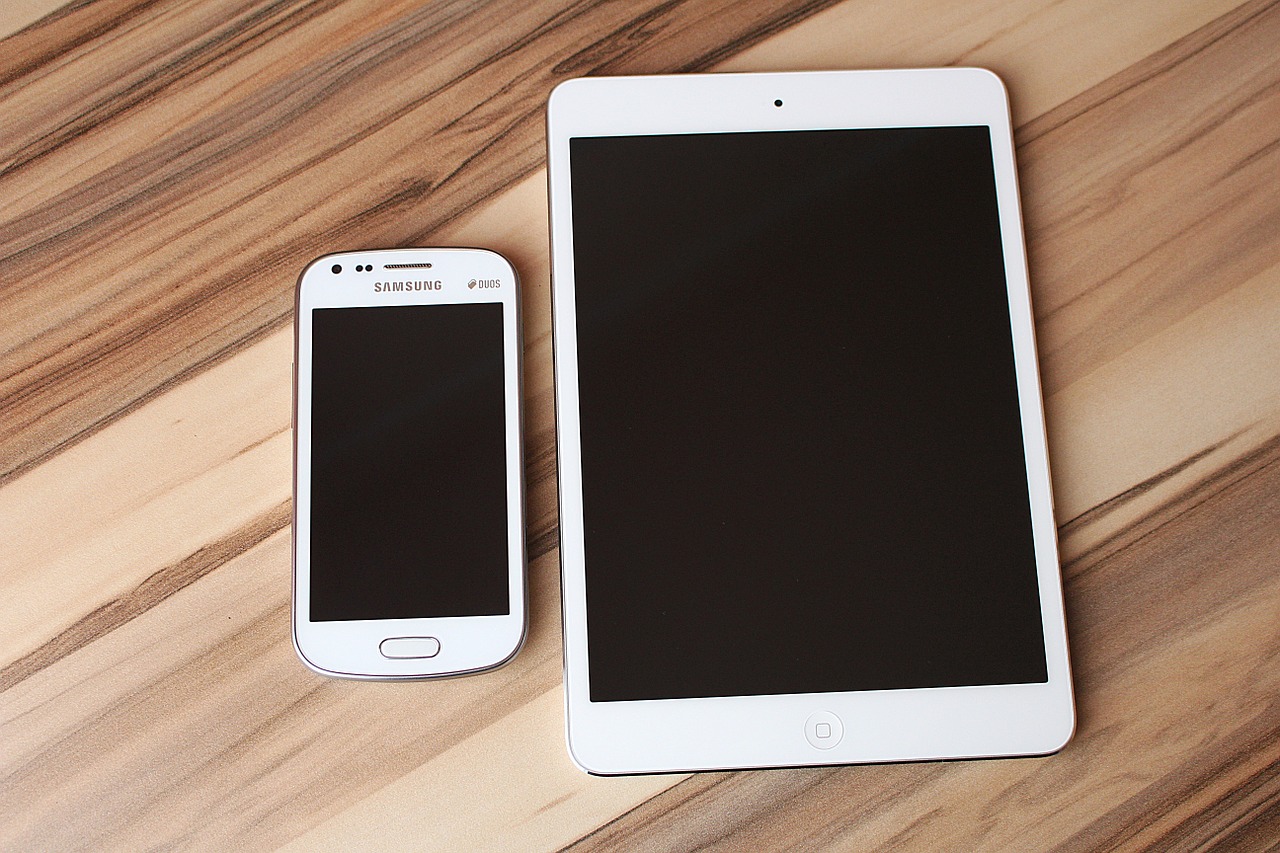
The rise of mobile devices in the workplace is incredible. Companies are implementing wearable device programs, Bring-Your-Own-Device policies, and other mobile-inspired initiatives. As the workforce grows more mobile, and consumers demand more flexibility and personalization, tech leaders are expected to help create this mobile-friendly environment. Incorporating mobile solutions in business processes, securing them, and promoting innovative ways that they can improve performance, is becoming part of the job for some IT executives.
As technology use continues to boom in business, it seems like CIOs have even more items to tack onto their agendas. Companies are staying focused on tech projects that will have the most impact and improve their performance. Projects that involve data and analytics, meeting rooms, cloud-based solutions, security, and mobile devices will be at the top of those lists.

Don't miss a Story.
Want to set up a wireless Conference Room?Try Now
There are rumors floating around that the software giant Google might scrap their 80/20 rule. The policy allowed Google employees 20% of their work time to be clear of all responsibilities to encourage side projects and innovation. This policy was later followed by other companies as well.
It was widely acknowledged that the rule promoted innovation and creativity across the board. Now it seems like Google doesn’t consider it an effective policy for them, but does that really mean it isn’t an effective policy for you?
What is the 80/20 Rule?
Way back in 1906, an Italian economist by the name of Vilfredo Pareto, noticed that 80% of the land in Italy was owned by 20% of the population. He developed this by observing that 20% of the peapods on his property yielded 80% of the peas.
Later on, a management consultant Joseph Juran noticed that this rule applied to other concepts too, and called it the Pareto principle. Accordingly, it can be applied to company management as well. In essence, according to this principle you get 80% of results from 20% of your effort.
In the software development world, this principle takes on a different form. According to research and observations, 80% of the results and improvements in the program come from alterations in 20% of the code. According to Microsoft, 20% of all detected bugs cause 80% of the problems.
How Can a CIO Take Advantage of This?
Whether its problem solving, or development, this rule seems to apply. Needlessly to say, it applies to time management as well. Google and other big companies might be forced to shelve the policy because not all side-projects and innovations see the light of day. In fact, majority of them don’t. This can discourage the employees.
In smaller companies, however, this can give employees the time and resources need for vague ideas to come to fruition. Small businesses have a limited number of employees who might come up with ideas at different points of time. It can be a new app, or a new program, a better solution to a problem, or something that would increase productivity. It can contribute towards sustained growth and ensure that your company always has fresh new ideas to keep you ahead of the competition.
Maintaining Productivity while Encouraging Innovation
Some might argue that the 80/20 rule might decrease productivity. With employees dedicating less time to their core projects and important work, the entire progress of your company might take a hit. You might start producing results at a slower pace and your competition might race on ahead.
Some of these concerns are valid. However, most CIOs manage to find the right balance. Software development and the IT industry require constant innovation but it can only happen when the mind in uncluttered and has room to let creativity flow.
When you hire the best minds in the industry because of their skill and innovativeness, you need to give them room to develop. The 80/20 rule does just that. As far as time management is concerned, you get quality in exchange of a marginal compromise in pace. It’s a worthwhile trade-off in the eyes of many.
Don't miss a Story.
Want to set up a wireless Conference Room?Try Now
Years ago, business technology was more of an amenity–it was nice to have, but wasn’t always critical for companies to meet their bottom line. Today, it’s practically a necessity. It’s hard to imagine a company in any industry operating without using some form of it.
We have entered the digital age, and it has changed how we work, how we interact with each other, and so much more. For example, businesses are relying on collaboration tools to communicate work on projects and tasks from anywhere in the world. Organizations are increasing productivity, employee engagement, and worker efficiency by implementing tech-driven applications and programs. Company executives are using wireless presentation software that makes setting up cables and hardware a thing of the past.
There are tons of ways that technology could be implemented to improve existing processes, and its place in the business world is becoming increasingly crucial.

According to a recent report from CompTIA, IT is becoming an essential part of the job, for companies across many industries. In the report, close to one-quarter of businesses worldwide plan to increase their IT spending by 10 percent or more in the next year.
The increased spending for IT solutions and initiatives reflects a shift. The growing importance and use of technology is blurring the lines between tech companies and other industries. With this shift, some are saying every company is becoming a tech-focused company. Looking at how technology is being used in industries that may have never been associated with IT ten or even five years ago, it could be an accurate statement.
Healthcare

Patients with chronic conditions can now closely and easily monitor their condition with the help of a wearable device. Physicians can communicate with patients in real-time, view their health metrics, and make more informed treatment decisions through mobile devices. Technology is making it easier for physicians to collaborate and share medical expertise on tough conditions. Instead of waiting for a costly doctor’s appointment or going to the ER for routine issues, some patients are using telemedicine solutions to receive care remotely.
All of these solutions and more have been made possible by the advancement of technology in the healthcare industry. Before, healthcare systems’ security concerns prevented widespread adoption. Although security is still a major concern for the industry, the value that technology has in the industry is starting to overshadow the risk. One report states that investment in healthcare IT is expected to grow from $13.2 billion in 2013 to $14.6 billion by 2018.
Manufacturing

Robotics, wearable devices, 3D printing, and other technologies have transformed the manufacturing industry. Some are even concerned that the advanced technology could replace jobs with machines. But, machines were already being used in factories decades ago. Now, the industry is shifting their focus towards making these technologies smarter and helping employees increase productivity. According to a PwC study, the top IT priorities for manufacturing CEOs are mobility, cybersecurity, and data mining and analysis. Manufacturers will likely agree that technology has become critical to their bottom line. Many are even devoting more resources to improving IT to avoid downtime and other complex IT issues that surface.
Retail

The rising popularity of online shopping caused retailers to revamp their business models and join the digital revolution. Now, they are leading other industries in ways to use IT effectively. They are blurring the lines between digital shopping platforms and brick-and-mortar stores. Retailers are learning more about their consumers than ever before and personalizing shopping experiences with help from big data, mobile devices, and other technology. With global IT spending forecasts projected to surpass $190 billion, the retail and tech industries will continue to overlap.
But, is every company becoming tech-focused? The latest reports and technology success stories suggest that IT is taking over dozens of industry verticals. However, businesses’ main priorities will still be on what makes their services and offerings unique. Technology is simply the tool that is helping them connect with their customers, increase employee engagement and efficiency, and improve overall business performance.