From the CIO

Mike Stone, CIO of the UK’s Ministry of Defence, discusses moving to Microsoft’s Azure cloud.
While the world of home entertainment has evolved rapidly during the last 10 years, the world of conference room technology has remained comparatively stagnant. Here are 5 benefits of bringing your conference room into the 21st century.
Gary King, former CIO of T-Mobile, has joined the board of directors of Soasta, a performance-monitoring software company. The move is part of a growing trend of CIOs becoming board members.

Technology News

How secure are voting machines? “There’s no surefire way to prevent hacking, but if you’ve got good auditing procedures in place, you can catch any tampering,” says Chris Jerdonek, vice president of San Francisco Elections Commission.
HP has bought Samsung’s printer business and 6,500 patents for $1.05 billion. (Whether or not Samsung’s exploding battery patent is included in that deal remains to be seen).
For those who are having a hard time adapting to Apple’s new wireless headphones, case manufacturer Spigen is offering wireless headphone tethers for $10. (Or you can just buy some string for $1 and make your own tethers).

Want to set up a wireless Conference Room?Try Now

If a time traveler from the year 2005 were to set foot in your living room, they would have a hard time figuring out your home entertainment system. Apple TV? Netflix? How are you supposed to insert the DVD into the Apple TV box when the DVD is nearly twice the size of the box? And how come this remote control only has one button on it? Has the world gone crazy?

And yet if that same time traveler were to set foot in your conference room, they would be completely at home. Although business meetings rely on pretty much the exact same technology as home entertainment (TVs, projectors, media to play on said TVs and projectors), many meeting rooms are still stuck in the Blockbuster era, relying on HDMI, VGA, and countless other cables and adapters for their presentation solution.

Things don’t have to be this way. With a wireless presentation system such as the Ubiq Hive, you can bring your conference room into the Netflix/Apple TV-era and briefly confuse any time travelers that happen to wander in.

Here are just some of the benefits:

1. Easy Set-up.

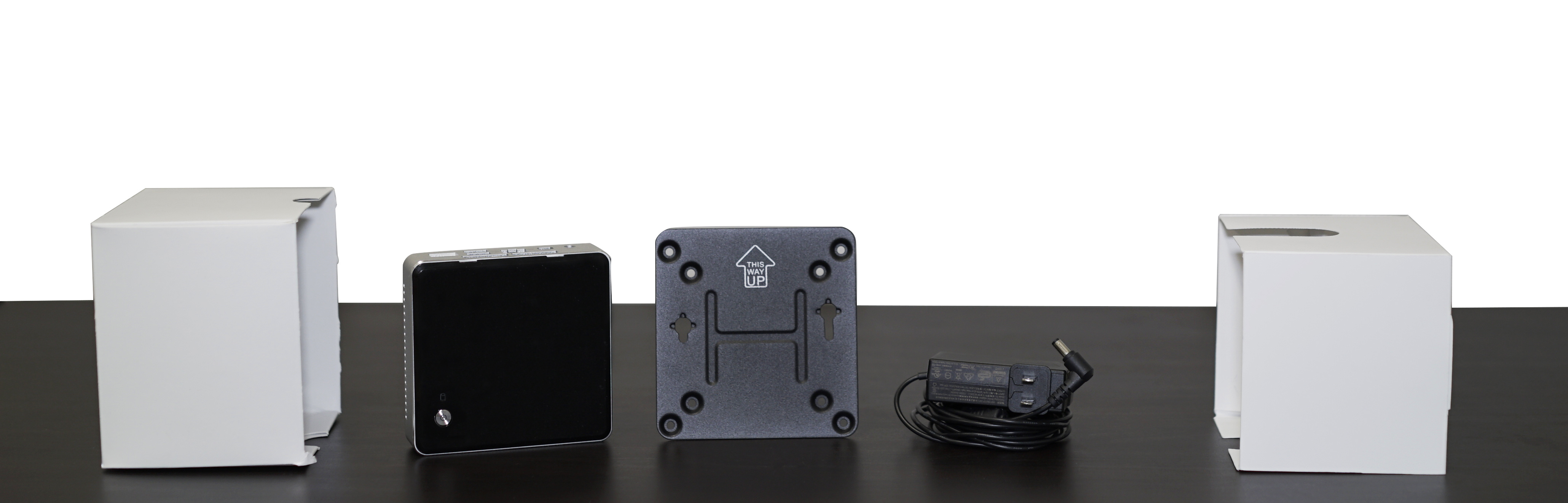
dsc03613

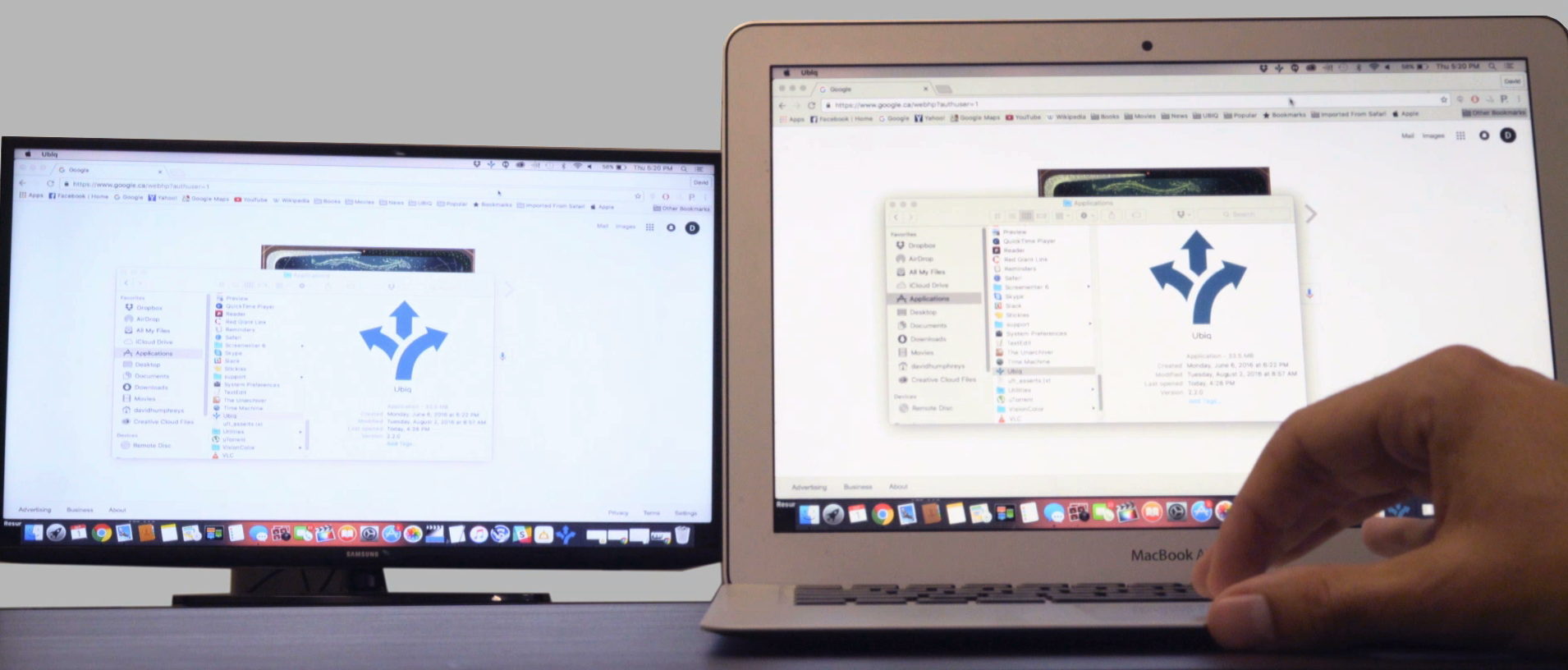
Have you ever successfully plugged an electronic device into a wall socket such as a vacuum cleaner or hair dryer? Then you shouldn’t have any trouble setting up the Ubiq Hive. Once the device is powered on and connected to your conference room TV or projector, all you have to do is download the Ubiq app or go to present.goubiq.com and you can begin streaming right away.

2. Less Strain on IT.

internal-users-sept-9

Like E.R. doctors, IT people are always on-call in case of an emergency. If a project manager is having issues hooking up his 2008 MacBook to a projector, the first person to hear about it is usually the system admin, who is then expected to drop everything he’s doing and rush into the conference room and try to diagnose the problem.

With Ubiq, however, IT does not need to be physically present in the conference room. To monitor a presentation, all you have to do is log in to the Ubiq dashboard.

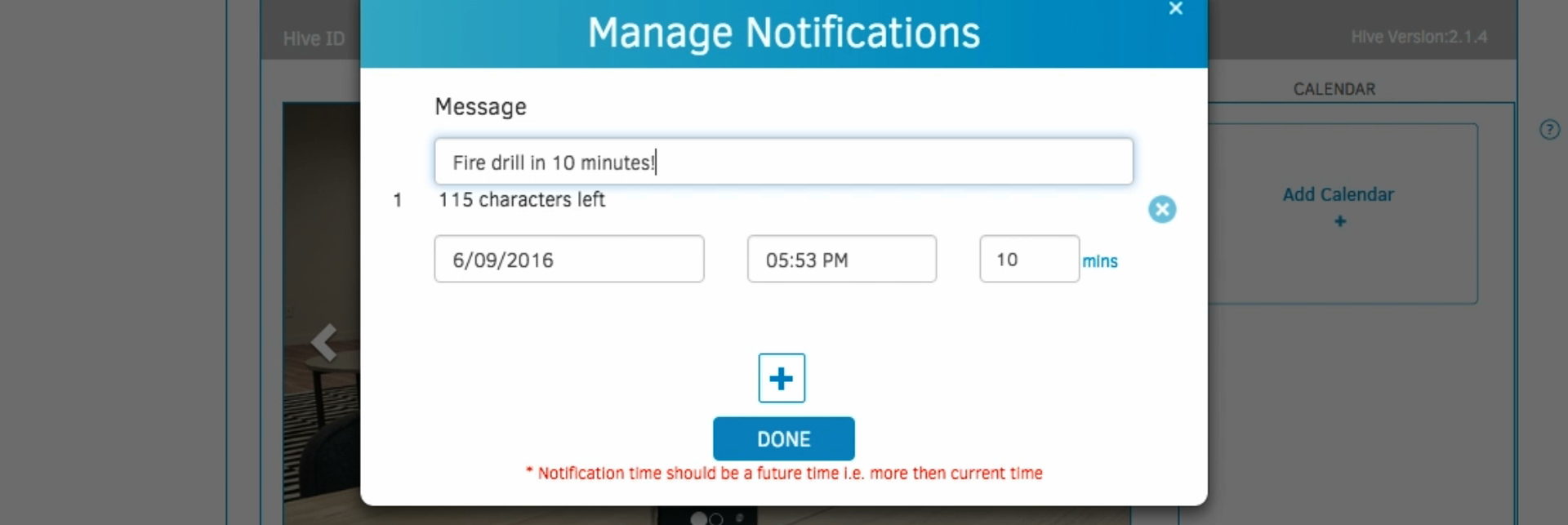
3. Increased Productivity.  Keep employees in the loop by sending notifications to your conference room displays.

Ubiq integrates with calendar tools (like Google Calendar) so teams can schedule meetings, reserve rooms, and request “hive” access. It also allows IT to post notifications and digital signage to meeting room displays in order to help teams stay organized.

4. Security.

Ubiq integrates with multiple networks so internal users stream over the corporate network and guest users stream over the guest network.

The Ubiq application ensures that internal users stream over the corporate network and guest users stream over the guest network. Since Ubiq integrates with your company’s Active Directory, internal users do not need to create their own accounts. Simply enter your Active Directory domain during installation and Ubiq will check credentials against the domain.

5. Better Looking Conference Rooms.

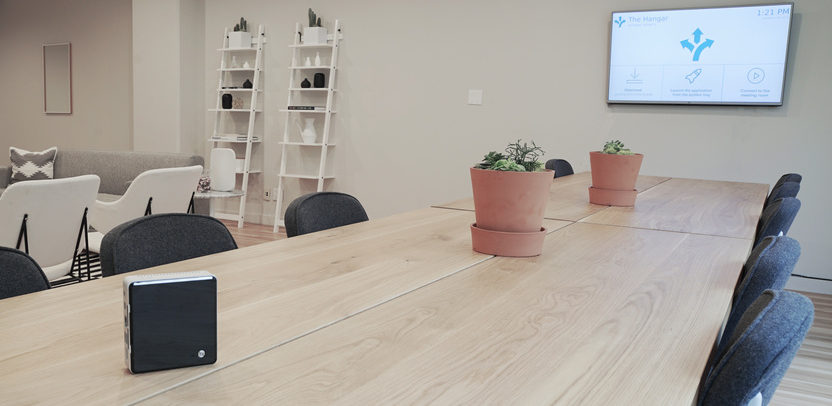
No conference room is complete without the Ubiq wireless presentation system.

Wires are ugly, and hiding them is difficult. Some people try to run them behind their baseboards or under their carpets, but few succeed. This is especially true if we’re dealing with multiple cables like HDMI, VGA, HDMI to VGA, DVI, and Thunderbolt (which is the bare minimum of what you’ll need to have on-hand in today’s BYOD era in lieu of a wireless solution). Hiding that many cables is like trying to hide 6% of the world’s aluminum in the Mexican desert; it’s only a matter of time before it shows up on Reddit.

Discover how Ubiq can work for your organization. Request a demo today!

Want to set up a wireless Conference Room?Try Now

Bored employees are very seldom productive employees. A business whose employees are passionate and excited about the company’s mission is likely to get more work done in a typical day than a company whose employees require an hourly trip to the coffee shop just to stay awake. While technology has delivered productivity tools to keep employees on task and blocking tools to keep them off Facebook and Reddit, an employee who is determined to look at cute cat pictures during work hours is going to find a way to do so. How can IT manage the influx of personal use of company technology?

Salary.com’s Time at Work Study in 2014 found the following:

89% of employees waste at least 30 minutes a day

53% believed that time “wasted” promotes greater overall productivity

27% of employers block non work-related websites

Here are 3 ways IT can work to rein in personal use at work:

Optimize your BYOD policy. Can bringing a personal device to work help to reduce personal usage? Counterintuitively, yes! Working on a device that you know and love is a lot easier than working on one that’s been randomly assigned to you. The policy also has to take into account compatibility and accessibility by device type and security parameters. By ensuring your BYOD policy is flexible with changing technology, it promotes acceptance by employees.

Conduct productivity reviews. By partnering with Human Resources and other departments, you can evaluate the role of technology across your company. If technology is not being used as it should, you may uncover opportunities to have it work for your employees to grow your business.

Bring people together. IT can work to bring people together. For example, unified communication systems help to contain access and flow, while being open to new ways we share information. If personal use is found to be a way to break up the monotony of work, maybe we can use unified communication tools to bring people together to get excited about work.

From the CIO

Martyn Croft, CIO of the Salvation Army, explains why he’s embraced thin clients, e-learning, and BYOD, but not big data.
The average tech worker makes $96,370 per year; tech workers with skills in Spark, Azure, JIRA make over 20% more, CIO.com reports.
With just one slip up, your meeting room can instantly transform from an impenetrable Area 51-like fortress to the set of a television show that only your rivals watch. Here are some tips to make sure that doesn’t happen.

Technology News

The European Commission has determined that Apple must pay a fine of $14.5 billion for receiving illegal tax benefits in Ireland. Tim Cook has written a sternly worded letter in response.
The New York Times explores why Palo Alto, a town with no shortage of tech-savvy residents, has such lousy cell phone reception.
Buckle your seat belts, laptops are about to get a whole lot faster.

Want to set up a wireless Conference Room?Try Now

Of all the places that corporate spies would love to gain access to, your company’s meeting room would have to rank pretty high on the list. By eavesdropping for just 10 minutes, a hacker could potentially learn more about your company than most mid-level employees. This is why, if your company is going to bother taking security precautions at all, the meeting room is the place to start.

But in today’s BYOD environment, controlling what goes in and out of the meeting room can be easier said than done. With just one slip up, your meeting room can instantly transform from an impenetrable Area 51-like fortress to the set of a television show that only your rivals watch. Here are some tips to make sure that doesn’t happen.

1. Assess the space

A hidden camera detector will help you assess the space

During a City Council meeting in Charlotte, North Carolina last year, several council members noticed a piece of audio equipment in the room that had a blinking light on it. Rather than investigate, the Council members continued on with their meeting. The next day, they woke up to discover that all of the sensitive information they had discussed was printed in the local paper.

One of the best ways to ensure that something like this doesn’t happen is to assess the room beforehand. Unfamiliar electronic device should be treated with a high degree of suspicion. If the meeting room in question is located in an area outside of your control (like at the office of a company that you’re partnering with), try to schedule a security walkthrough before the event.

2. Control preparation materials

Wifi

Try to limit physical data as much as possible. Now that everyone knows how to open a PDF, there is no need to head down to Kinko’s and put valuable company secrets in the hands of a stranger. If someone at the meeting insists on distributing paper handouts, make sure the room has a shredder on standby.

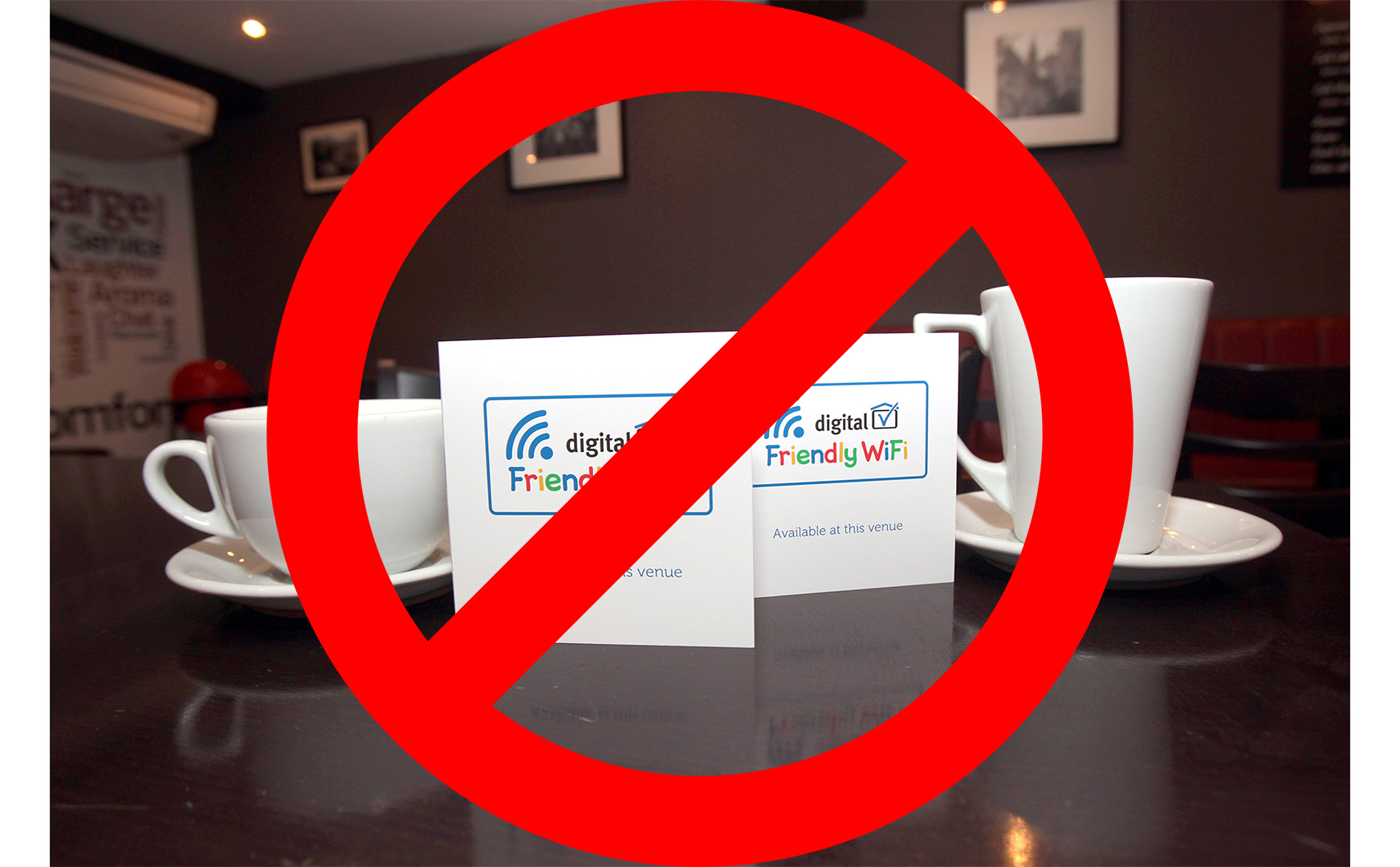
If you are using collaboration tools or software to put together figures, graphics, and presentations, make sure that it is with a secure provider and that only select individuals have access to it. If it’s online, never use an insecure network or public Wi-FI. Working remotely from a coffee shop is fun and trendy, but if you use the public Wi-Fi, that latte could end up costing $4 million (the price tag associated with the average security breach).

3. Use wireless presentation software

Ubiq Wireless presentation software

Controlling your own meeting room can be hard enough; controlling someone else’s is just about impossible. For people who present off-site, this poses something of a dilemma. Most off-site presenters resolve the issue by blindly putting their faith in the capability of the site’s IT department. But this needn’t be the case. The risk associated with presenting off-site can be mitigated somewhat by using wireless presentation software that will allow you to upload data straight from your laptop or tablet. This limits the access points and narrows the chance of a breach.

4. Verify attendees

Not Verifying Attendees is Superbad

Like weddings, attendance at large meeting can be difficult to keep track of. In order to prevent uninvited people from showing up, it’s always a good idea to have a list of approved participants, and if feasible, issue ID badges. This way, even if there is a leak, you’ll be in a much better position to find its source.

5. Brief participants

5-Blog

If a meeting contains restricted information, it’s important that everyone at the meeting knows that the information is restricted. Urge the participants to avoid discussing it at the water cooler, give them a tip sheet on how to protect data after the meeting ends, and/or have them sign a short, to-the-point contract regarding the release of information and responsibilities.

6. Restrict the devices used

No Cell Phones Allowed

According to a Ponemon Institute study, leakage of information is the top risk of insecure mobile devices. In 2016, restricting smartphones at a large event is an exercise in futility. You can, however, still ask participants to refrain from using these devices during all or some restricted parts of the meeting. You may be surprised to see how many are willing to oblige. To deal with the hold-outs who are incapable of not looking at their smartphones, you can instruct personnel to help monitor the room and enforce the rule when the meeting is in session.

Additional Reading

How to Protect Your Company Against Hackers
7 Essential Tips to Protect Your Business Against Hackers
10 Tips To Protect An Ecommerce Website Against Hacking And Fraud

Want to set up a wireless Conference Room?Try Now

The average laptop weighs about 3.5 pounds. That may not seem very heavy at first, but try lugging one around for 20 minutes everyday on your walk to work, and it won’t be long till you’re a regular presence at the chiropractor’s office.

Want to ditch that heavy laptop and just prepare your business presentation on the go using your smartphone or tablet? Here are 5 apps that will help you do that.

Industry giants such as PowerPoint and Keynote won’t be included here. They’re pretty much known to everyone, so talking about them won’t be of much use. Instead, this list will focus exclusively on lesser known alternatives that deserve wider recognition.

One last thing before you begin though: Be sure your device is updated with the latest software, so as not to have issues with the apps. Either register the premium device with the carrier or manually search and install updates. Check first as well if the app is compatible with your device or not.
Without further ado, check out these five excellent apps that can help you create or edit presentations efficiently and with high professional quality.
Haiku Deck (iOS phones, tablets)

a58936569152fcf65be4aba4f686dc11(credit: haikudeck.com)

Haiku Deck lets you create beautifully designed presentations with simplified text in specially organized formats. Within the app, you can also search for both images with open licenses or premium photos. You may also pick templates for your presentation, each with corresponding fonts, layout, colour theme, and image filters.

The app is getting more and more popular, reaching 2 million users as of April this year. An update was released that same month, adding features such as a teleprompter which allows viewers to see your slides as you present but not your notes; and a Voice-to-Text option.
Price: Free, with Pro and Premium upgrades which are $10 and $30 per month, respectively.
FlowVella (iOS phones, tablets)

flowvella-the-easiest-way-to-beautiful-presentations(credit: flowvella.com)

FlowVella allows you to make stylish presentations either by normal touch operation, or with additional gesture commands. Multimedia content such as videos, audio, and images of various formats are supported and you can pull these from cloud sources like Dropbox and Adobe Creative Cloud.

A ‘flow’—the term the developers call the presentations—may also be shared via a URL link as an alternative to sending the file as an attachment. This way, you can edit the presentation and won’t have to resend the file, as the viewers can just re-open the link to get the refreshed content.
Price: Free, with Pro and Premium upgrades which are $20 and $5 per month, respectively, plus an Enterprise option for corporations.
SlideIdea (iOS/Windows 8 tablets)

slideidea-1024x556(credit: apps.innteach.com)

SlideIdea has an express slide creator that lets you set up presentations quickly. You just have to input the contents. It also has a ‘smart widget’ that allows users to add interactive elements to presentations for a more engaging session.

Price: Free, with in-app purchases
Google Slides (Android phones, tablets)

slides(credit: techinfographics.com)

Google Slides, a former component of Quickoffice, is now integrated into Google Docs. It leans more to a classic presentation creation, similar to PowerPoint, which means you can set a template and go from there. The app can be synced with other Google programs such as Drive for cloud saving.

Price: Free, with in-app purchases
SlideShark (iOS phones, tablets)

present_image(credit: slideshark.com)

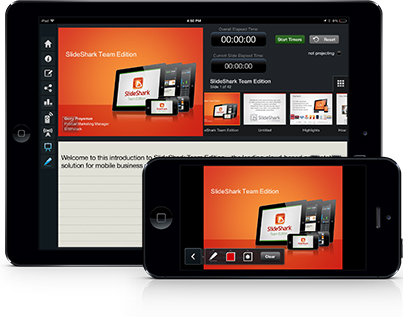
Although SlideShark doesn’t let you make a presentation from scratch, what makes it special is that it allows users to broadcast their presentation online in real-time. This is perfect for overseas web meetings or if one member of the designated audience simply can’t make to the session.

It has other features such as meeting analytics, which gives you info on how many people watched your presentation. SlideShark is aimed more for marketing and sales pitches or presentations.
Price: Free trial, with Individual and Team Edition options for $8 per month and $12.50 per user each month, respectively.

From the CIO

Following the debut of Allo and Duo, Google is now re-branding Hangouts for enterprise in an attempt to reduce its arsenal of consumer-based messaging apps from 8 to 7.
The state of your conference room says a lot about the state of your company. Here are 5 things your conference room should have in order to create the best possible impression.
Some Silicon Valley start-ups are migrating to Arizona to avoid San Fransisco real estate prices, but according to Entrepreneur.com, these companies aren’t going far enough: relocating to Asia is the best strategy to reduce costs.

Technology News

In his new book Blockchain Revolution, Wikinomics writer Don Tapscott predicts that blockchain will have the same impact on government, the financial services industry, and the Internet of Things as wikis had on collaboration. “Once again, the technological genie has been unleashed from its bottle,” he writes. 
Apple’s recent $200 million acquisition of Seattle-based artificial intelligence start-up Turi is good news for Apple and Turi, bad news for everyone else, writes Vinod Iyengar of Tech Crunch.
For those who have trouble prying themselves away from their screens and suffer from insomnia as a result, you’re in luck: Scientists have discovered that going outside during the day counteracts the effect of starring at a blue light at night.

Want to set up a wireless Conference Room?Try Now

You should never judge a book by its cover, but you should always judge a company by its conference room. If the first thing you see when you arrive at a business meeting is a standard definition TV that’s been strapped to a wobbly cart with velcro in order to prevent it from toppling over and crushing the AV guy whenever he wheels it around, you’ve learned something very valuable about the company’s approach to innovation. Likewise, if you walk into a meeting room and see a 4K TV that’s been mounted so that the screen is perfectly flush with the wall, your reaction will be, “If this company knows how to do that, they can do anything.”

Here are 5 AV products you need to buy in order to create that sort of impression.

1. 4K Television
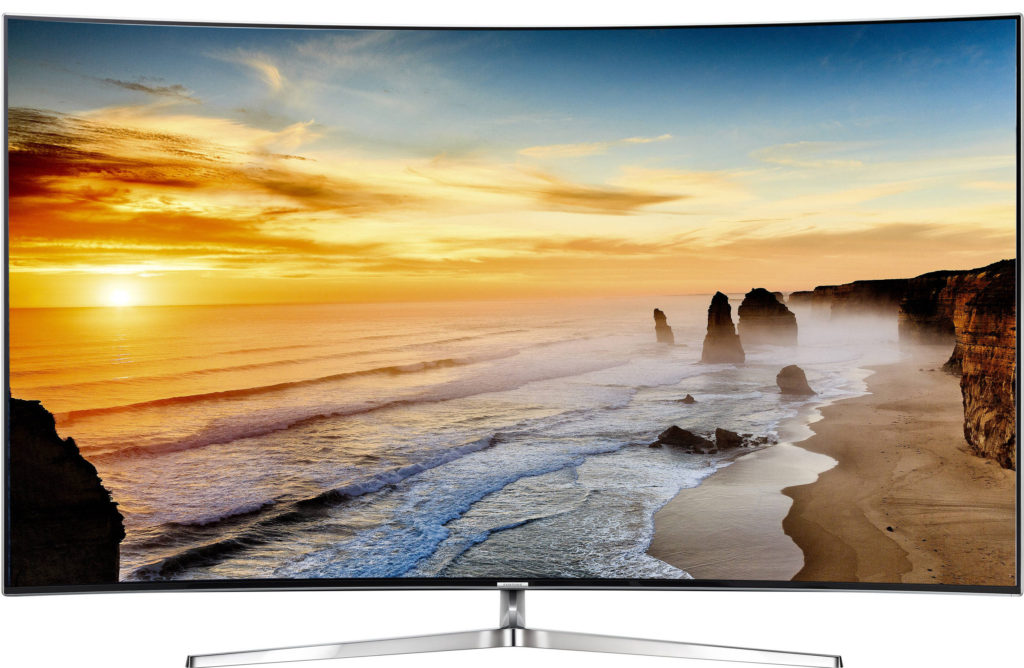
Samsung KS9500 series

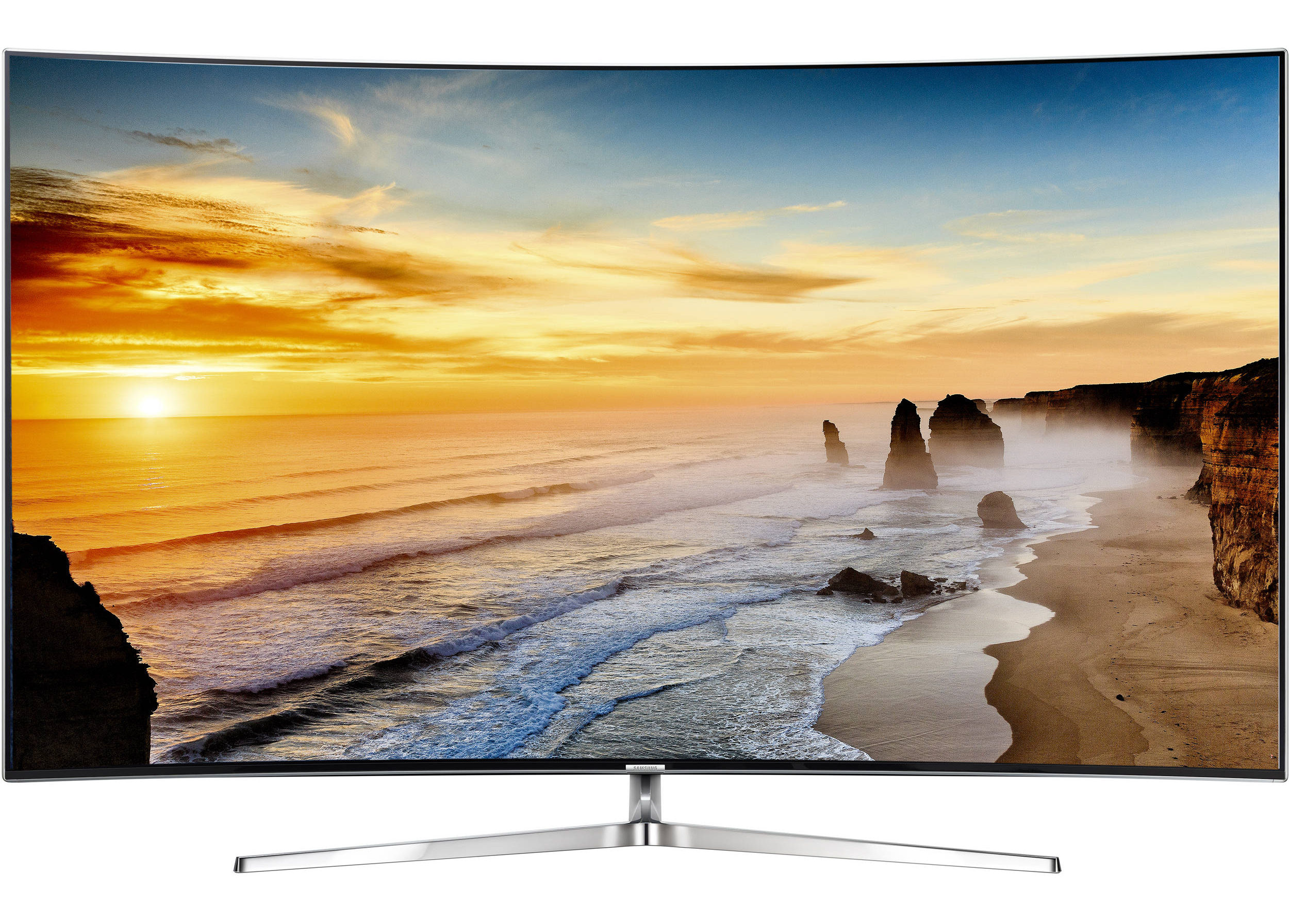
There are a lot of things you can justify not buying—paintings, book shelves, certain pieces of furniture—on the grounds that you are “going for a minimalist aesthetic.” Unfortunately, a good TV is not one of them. In order for videoconferencing and business presentations to work, a large shared screen is absolutely essential. And although they’re expensive and still have some issues that haven’t been adequately addressed yet (good luck finding media that you can play at full resolution), 4K TVs are noticeably better than their 1K counterparts. Even if you don’t actually use the TV to play full 4K video, it’s always better to have 4K resolution and not need it than to need 4K resolution and not have it.

If you have the money to buy a 4K TV, you probably also have the money to hire a carpenter to mount the TV to the inside of the wall. By doing so, you’ll restrict easy access to the HDMI ports at the back, but if you use a wireless presentation solution (like, say, Ubiq) having easy access to the HDMI ports will not be necessary.

Our recommendations:

Samsung KS9500 series
LG OLEDE6 series
Sony XBR-75X940D

2. Telephone
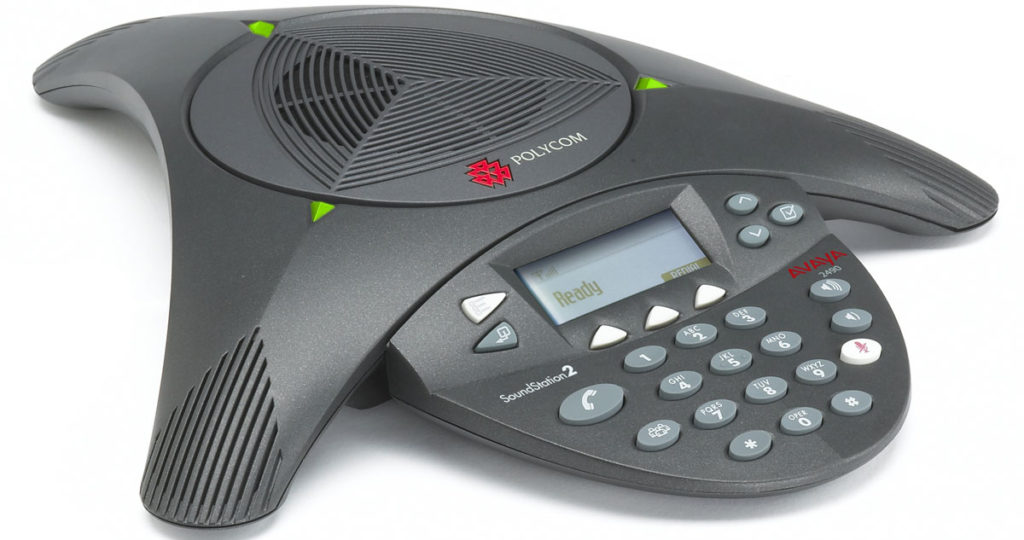
Polycom SoundStation 2

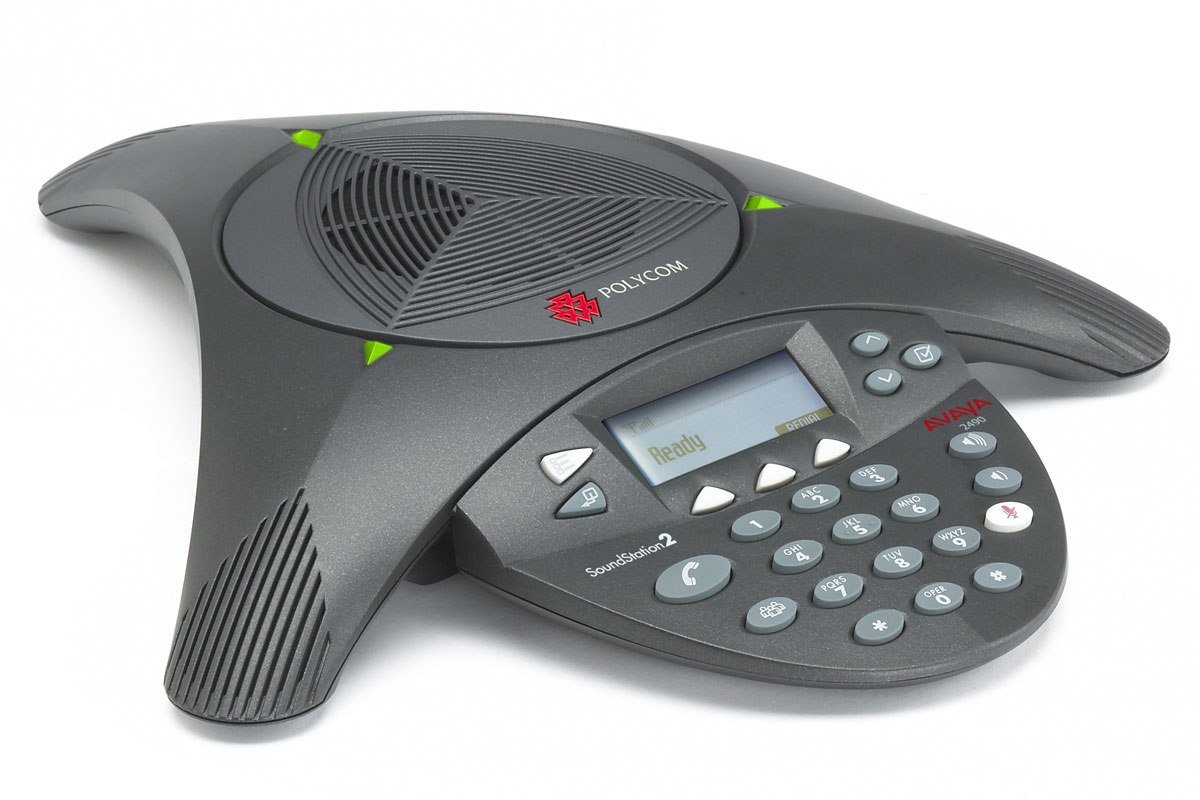
For decades, experts have been predicting that videoconferencing would render Alexander Graham Bell’s 1876 invention obsolete. And yet for some reason the telephone refuses to go away. Perhaps it’s because people are too self-conscious about their appearance, perhaps it’s because no one likes the idea of sending large amounts of data through their 4G network. Whatever the reason, the telephone is here to stay, and you’ll definitely be needing one for your conference room. More specifically, you’ll need one that can provide clear audio, connect multiple lines at once, and hands-free capabilities (speakerphone and microphone included).

Our recommendations:

Polycom SoundStation 2
Avaya B179 Conference VoIP phone

3. Projector
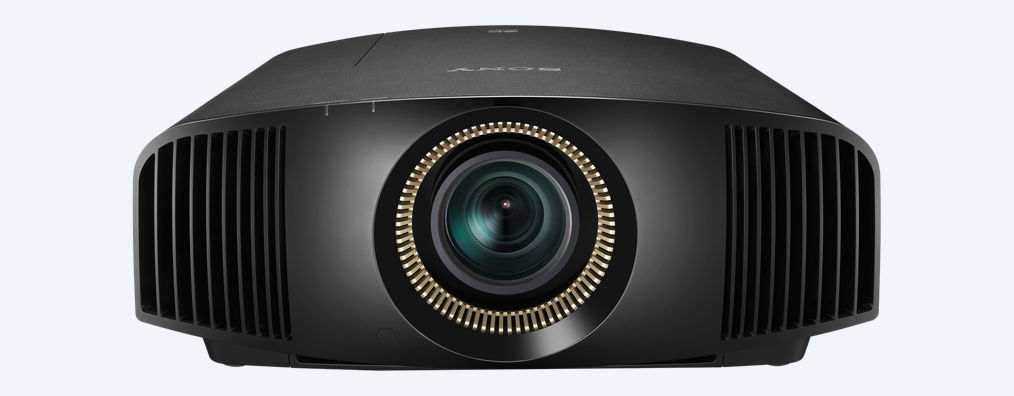
Sony VPL-VW365ES

If your meetings are usually attended by more than 20 people, a 4K TV—as glorious as it is—might not be enough. You may want to consider buying a projector and converting an entire wall into a movie screen. In addition to offering a bigger image, today’s conference room projectors provide greater brightness (lumens), operate clearly in both dark and lit rooms, and are small enough to be portable. High-end 4K projectors can cost as much as $10,000 or even $20,000, so unless your name is Tim Cook, be sure to seriously weigh the pros and cons before buying. (Or just buy a low-end version; few people have actually seen high-end 4K projectors in action, so they’ll be unlikely to notice that you’ve cheaped out).

Our recommendations:

Sony VPL-VW365ES
JVC – DLAX500R

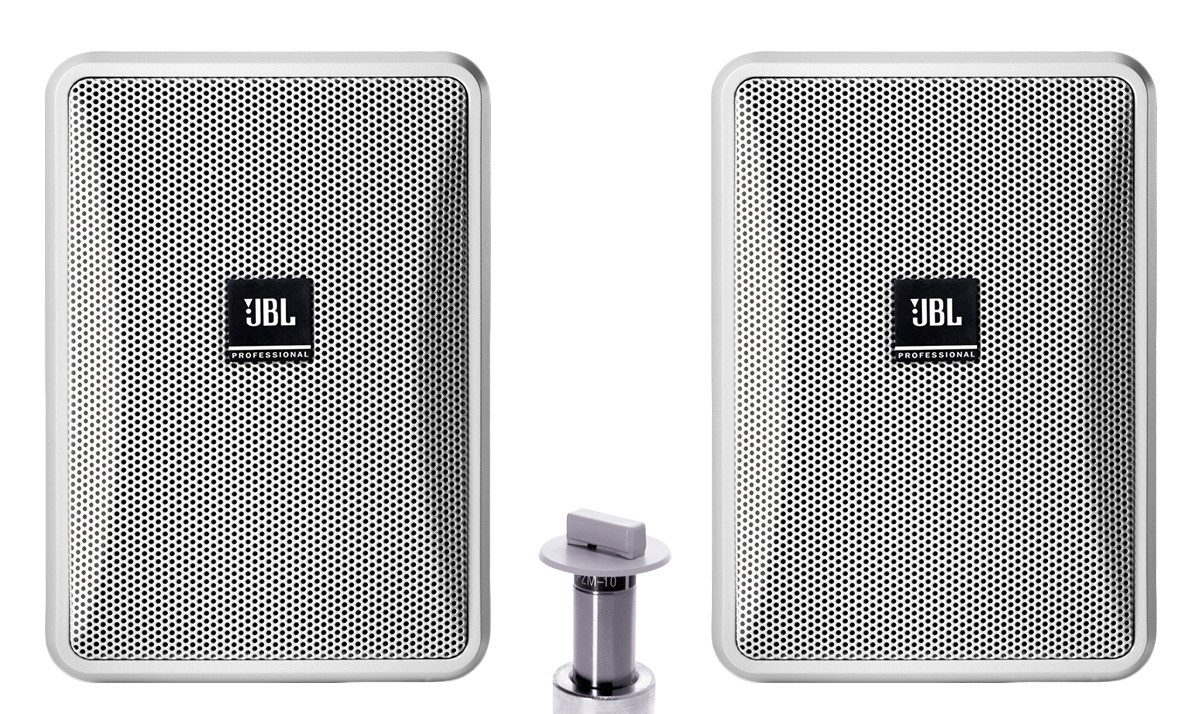
4. Sound
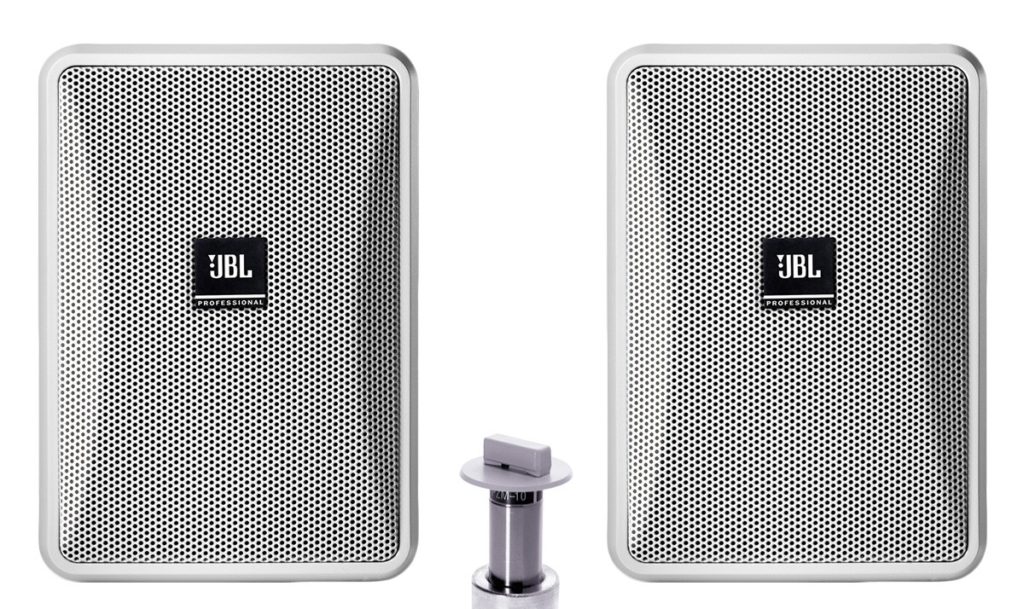
JBL Basic Double-Zone, 70V Wall Mount Sound System

Investing in a 4K TV or projector can be counterproductive if you don’t also invest in a decent sound system. That stunning 4K resolution will be a lot less impressive if all you can hear coming out of people’s mouths is a muffled garble.

It’s also important to make sure that the people you’re videoconferencing with are able to hear you, so in addition to buying speakers, you may want to buy a few microphones and install them at various points along the conference room table.

Our recommendations:

JBL Basic Double-Zone, 70V Wall Mount Sound System
Atlas Sound 70V Ceiling Mounted Sound System for A/V and Conference Rooms (2 Speakers)

5. Wireless Presentation Solution 
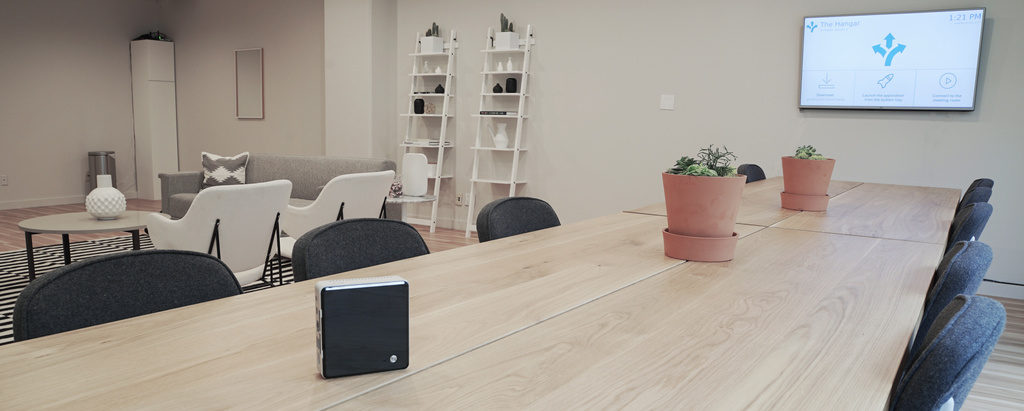
Introducing the Ubiq Hive.

In today’s BYOD environment, a conference room that relies on cables and wires to connect laptops to the TV or projector is simply not feasible. In order to accommodate every laptop that enters the room, you would need to have an expensive and elaborate collection of cables and converters with various outputs on standby (HDMI, VGA, HDMI to VGA, Thunderbolt, Lightning, etc). If you were to attempt to use all of these wires and converters simultaneously, your conference room would resemble a mad scientist’s lair. Better to go wireless.

Our recommendation:

Ubiq Hive

We may not be the most objective people to ask, but we think the Ubiq Hive is pretty sweet. It allows you to present wirelessly from laptops and surface tablets regardless of their video outputs in less than 10 seconds. (For more information on the Ubiq Hive, click here or go to literally anywhere else on this site).

From the CIO

As more and more people grow accustomed to working on their smartphones and tablets, the need for Enterprise Mobile Management is growing ever-greater. According to Gartner, these five companies are leading the EMM market.
For the first 26 years of its existence, Microsoft’s PowerPoint has held onto a 95% share of the software presentation market. But thanks to these 6 alternatives, PowerPoint’s monopoly could be slipping.
Resisting the temptation to sleep in and watch TV all day isn’t the only problem faced by people who work from home. They also deal with these 3 less obvious issues, writes David Humphreys.

Technology News

Ransomware attacks now occur at a rate of 4000 per day, according to the U.S. Department of Justice. Some ransoms are as high as $30,000. Is it time to add a “Ransom Fee” line item to your company’s budget?
Researchers at MIT have developed routers that can be reprogrammed to accommodate new algorithms without sacrificing speed.
With real estate prices climbing higher and higher, Silicon Valley is starting to trickle out into the Sonoran Desert, the New York Times reports.